
Copilot Voice Input
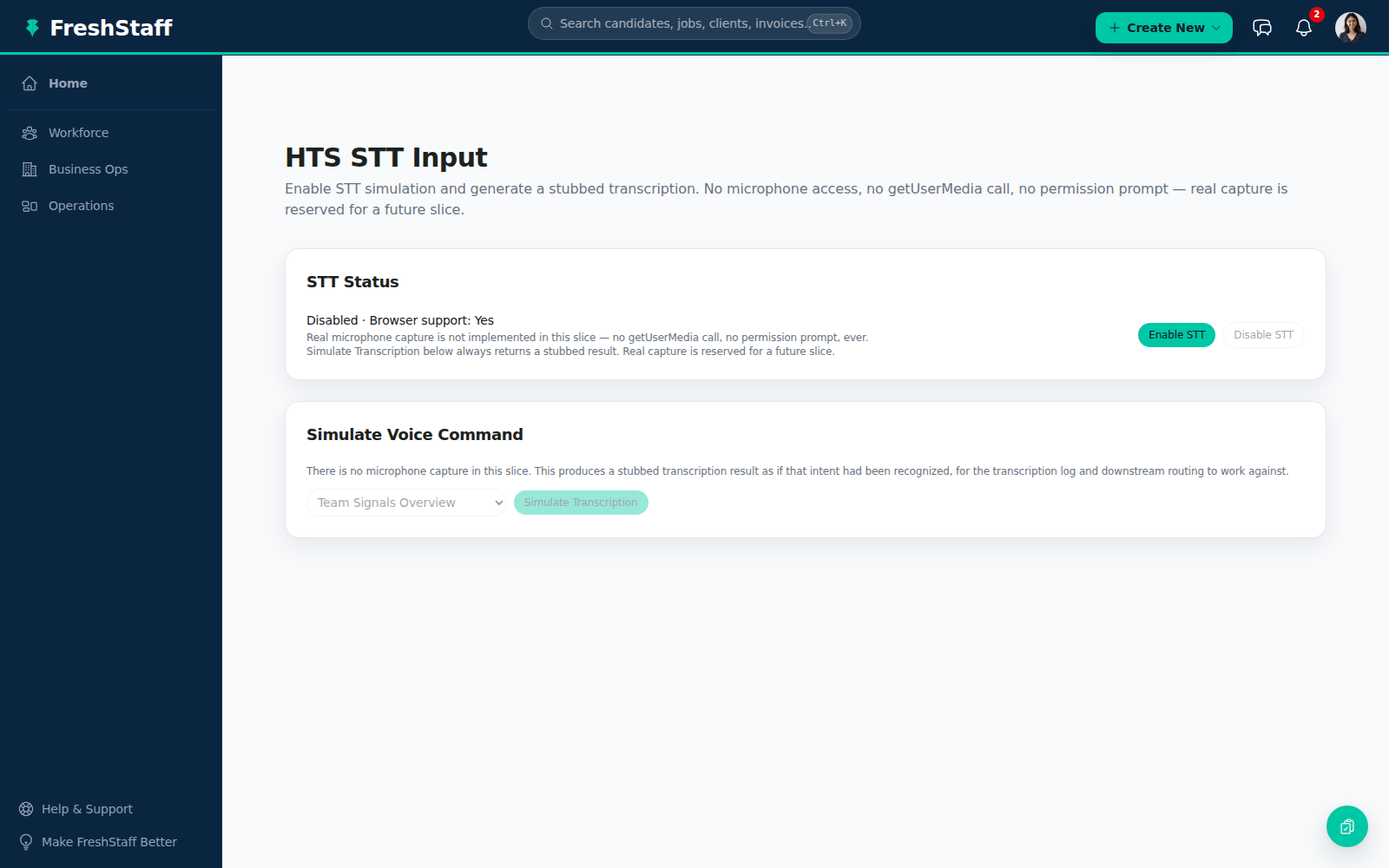
Between visits, at a front desk, or just with your hands full, tap the mic and say what you need. Copilot hears the same command it would've gotten typed, and no audio is ever recorded or stored.
In short
FreshStaff Copilot Voice Input uses your browser's own speech recognition so you can speak a command instead of typing it. The transcript is treated exactly like typed text, and no audio is ever stored.
Typing isn't always convenient. A recruiter juggling a phone call, a rep between visits, or anyone at a shared front desk device would rather just say what they need. Copilot Voice Input does exactly that, using nothing more than the speech recognition already built into modern browsers.
Why staffing teams need it
A lot of real staffing work happens away from a desk. In a car between sales visits, at a shared kiosk, or mid conversation on the phone. In those moments, typing out a full sentence to Copilot is real friction, and a spoken command removes it completely.
Voice input also makes Copilot Conversations easier to use in the first place. Saying a question out loud is often more natural than typing it, especially for a quick, in the moment ask.
How FreshStaff builds it
Voice Input wraps your browser's own speech recognition. There's no outside speech to text service involved, no audio ever leaves your browser, and nothing gets recorded or stored anywhere, not on your device and not on our servers. Once recognition finishes, the transcript gets handed to Copilot once, and from there it's treated exactly like something typed by hand. Same send path, same processing, same response.
On a browser that doesn't support speech recognition, the microphone button just doesn't show up, instead of appearing broken or greyed out. Voice input is a bonus, never a requirement to use Copilot Conversations.
How It Works
- 1
Open Copilot Chat. The microphone button shows up next to the text box on any browser that supports it.
- 2
Tap the mic and say your command or question naturally.
- 3
Your browser's own speech recognition turns it into a transcript, shown and sent exactly like typed text.
- 4
Copilot answers through the same Copilot Conversations path. No separate handling just for voice.
Why It Matters
Dropping the keyboard requirement makes Copilot usable in more real moments of a staffing workday. On the road, at a shared device, or mid call.
Because it's built entirely on speech recognition your browser already has, with zero audio storage, there's no new privacy concern, no vendor to depend on, and no cost per use.
Copilot Voice Input in FreshStaff
How Copilot Voice Input Compares
| Capability | FreshStaff | Legacy ATS | Manual Processes |
|---|---|---|---|
| Speak a command | Native browser speech recognition | Not available | N/A |
| Audio storage | None, never recorded or stored | N/A | N/A |
| Outside speech to text service | None needed | N/A | N/A |
| Unsupported browsers | Mic button just doesn't show up | N/A | N/A |
Explore More Features
Client Intelligence Hub
GPS auto-capture, territory heatmaps, route planning, and an AI sales assistant for field reps.
Universal Command Center
A Cmd+K command bar for instant navigation, one-step actions, and quick status queries.
Native Payroll & Compliance Engine
Federal/state withholding, FICA, SUTA/FUTA, ACA offer and safe-harbor codes, and 1095-C generation, built in.
Territory Intelligence
Heatmaps, category layers, clustering, and shared-building grouping on a live territory map.
AI Visit Planning
Scores nearby clients and builds an optimized route from your current location.
Daily Route Auto-Generator
One click, no setup. Today's route, GPS based, with today's visits already excluded.
Category-Based Routing
Restrict a route to just Healthcare, Industrial, or Professional Services leads.
Lead Scoring Engine
Ranks nearby companies by category, confidence, proximity, and shared-building context.
Route Optimization
Free, offline route reordering. Haversine distance and 2-opt, no routing API.
Onboarding
Guided digital onboarding from offer to first shift.
Automation
Rules-based automation across recruiting and onboarding.
Analytics
Real-time dashboards for fill rate, compliance, and velocity.
Migration Engine
Guided, field-mapped migration off legacy ATS platforms.
Integrations
Connected payroll, background check, and timekeeping providers.
Admin HQ
Tenant-wide users, permissions, and system oversight.
Packet Builder
Reusable document packets for every placement type.
Document Builder
Upload, map, and publish fillable onboarding documents.
Compliance
I-9, W-4, and E-Verify tracking that stays audit-ready.
Client Portal
Client-facing job orders, approvals, and placement visibility.
Kiosk Mode
Walk-in applicant intake on a shared front-desk device.
System Health
Job runner, queue, and error visibility for system admins.
Copilot Priorities
A ranked daily list of what needs attention across clients, jobs, and placements.
Copilot Actions
One-click actions attached to every Copilot priority. No separate screen required.
Copilot Conversations
Ask Copilot in plain language and get a real answer from your own data.
Copilot Memory
Copilot remembers what you were just looking at, so follow-ups just work.
Copilot Workflow Builder
Describe a workflow in plain language and Copilot drafts the steps.
Smart Command Bar
One command bar for navigation, search, and natural-language questions.
ATS Intelligence
Watches your ATS around the clock, catches problems automatically, and fixes them within limits you set.
Reliability & Availability Intelligence
Persistent reliability trend history and 14-day availability forecasting, computed nightly and fed straight into Copilot.
Worker Reliability
A weighted attendance-risk score for every worker, computed from real placement history.
Worker Availability
See which workers are actually free today before you ever open a job order.
Compliance & Onboarding Packets
Reusable document packets, I-9/W-4 tracking, and client-specific onboarding rules.
Safety & Job-Site Readiness
Digital safety inspections and job equipment tracking, gated before dispatch.
Training & Credential Tracking
A built-in candidate LMS and credential repository, tracked to expiration.
Sales Visit & CRM Intelligence
GPS-logged sales visits and Google Places business auto-enrichment.
Client Credit Management
Real-time client credit limits, applications, and exposure alerts.
Time Tracking & Workforce Hours
Mobile time entry and approval workflows that flow into native payroll.
AI Theme Designer
Generate, edit, and preview a fully branded dashboard theme, with built-in AA contrast checking.
Theme Pack Marketplace
Install official and community theme packs, rated and curated, with one-click rollback.
AI Brand Evolution
Evolve, mutate, and merge your theme pack over time, with full version history and style trends from other agencies.