The Universal Command Center. Press Cmd + K to Do Anything.
Stop hunting through multi-tabbed enterprise menus. FreshStaff's Spotlight-style command bar lets recruiters, sales reps, and payroll managers jump pages, run quick actions, and check live status in milliseconds.
1 Keystroke
To Any Page
Zero
Menu Hunting
Instant
Status Answers
1. Instant Universal Navigation
Zero-Click Navigation to Any Page
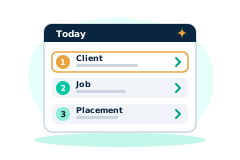
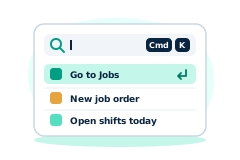
Jump directly to Clients, the ATS Pipeline, Payroll Batches, or Settings without touching the sidebar. Press Cmd+K (Ctrl+K on Windows), type your destination, and hit Enter.
2. One-Step Operational Actions
Trigger the Small Stuff Right From the Bar
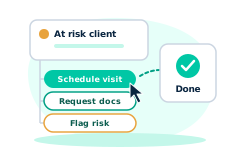
Schedule a sales visit, flag a placement risk, or boost a job's board visibility without opening a single menu. For bigger jobs like creating a job order or generating a year-end export, the bar jumps you straight into that guided wizard.
Action Confirmed
Visit Scheduled
Rivertown Logistics · Added to sales pipeline
3. Quick Recognized Status Queries
Skip the Report Builder for the Questions You Ask Daily
Type a quick, recognized query like "clients at risk", "jobs needing attention", or "timecards needing attention" and get a live, filtered result list instantly, no filters to build first.
4. Frictionless UI & Hidden Feature Access
Keep the Workspace Clean Without Hiding the Power Tools
Analytics, compliance audits, the LMS, and invoicing tools all stay one keystroke away, even when they're tucked a few clicks deep in the sidebar.
5. Speed-First, Every Role
Built for Whoever Is Moving Fastest That Day
Recruiters jump between candidates faster, sales reps log a visit without breaking stride, back-office staff reach a payroll batch in one keystroke, and owners get straight to the branch and revenue pages they check every morning.
Built for Every Role in the Building
Real commands and quick queries the bar already recognizes, by role.
Recruiters
Sales Reps
Payroll & Back Office
Owners & Managers
Built for Every Staffing Vertical
Light Industrial
"Timecards needing attention" surfaces a whole warehouse shift in one query.
Logistics & Warehousing
Dispatchers jump straight to a driver's job order without touching the sidebar.
Construction
Supervisors flag placement risk on a crew from the bar mid-conversation.
Healthcare
Coordinators jump to a credential or compliance record in one keystroke.
Commercial Services
Branch managers check "clients at risk" before their first coffee.