
Route Optimization
Pick your stops, get a shorter drive. Reordered automatically, no Google Maps or Mapbox routing bill involved.
In short
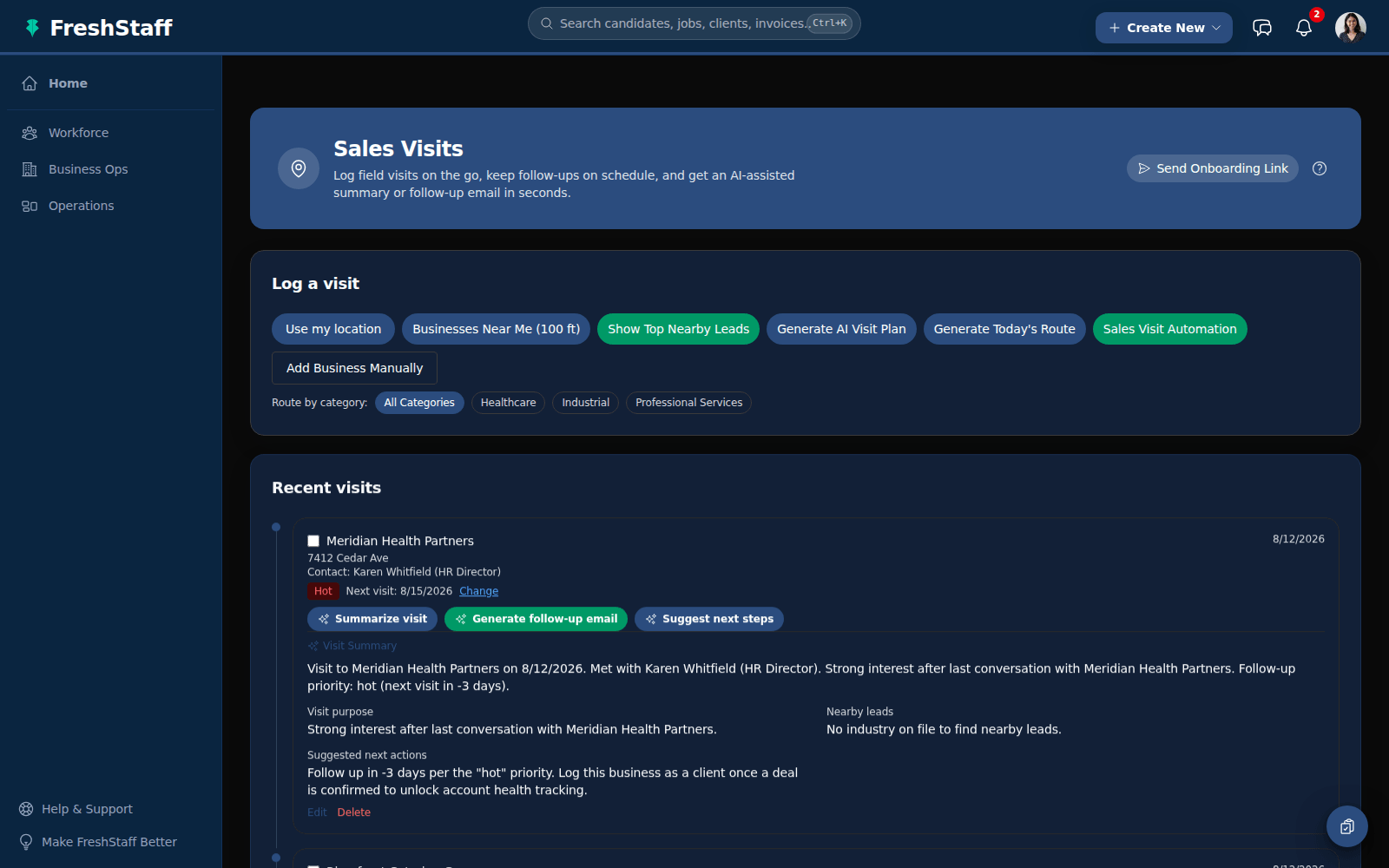
Route Optimization reorders a rep's selected set of clients into a shorter driving path automatically, entirely offline and free, the same engine that powers AI Visit Planning and the daily route builder.
The order a rep picks clients off a list is rarely the order that cuts down drive time between them. A route built in account name order or gut feel order can easily double back over the same stretch of road twice. FreshStaff's Route Optimization takes whatever set of clients a rep picks and reorders them for the shortest practical drive, entirely offline and entirely free.
Why staffing teams need it
Every mile a rep drives between stops that could've been ordered better is time and fuel that didn't need to be spent, and it adds up fast across a team of reps working territories every day. Most routing tools handle this by calling a paid mapping service on every request, which turns a simple reordering feature into a recurring bill tied directly to how much the sales team uses it.
Staffing agencies running lean sales teams shouldn't have to pick between an efficient route and another vendor bill. Route Optimization exists so that trade off never has to happen.
How it works
Given a set of selected clients, FreshStaff works out the straight-line distance between every pair, builds a starting route, and then keeps refining it, swapping the order of stops whenever that makes the total drive shorter, until no more improvements can be found.
This is the same engine behind AI Visit Planning and the daily route builder. Used on its own, it's a straightforward "reorder these clients for me" tool for a rep who's already decided who they want to see and just wants the smartest order to see them in.
How It Works
- 1
A rep selects a set of clients they plan to visit.
- 2
FreshStaff works out the straight-line distance between every pair of stops.
- 3
It builds a starting route, then keeps refining it, swapping stops whenever that makes the total drive shorter.
- 4
The reordered route comes back ready to drive. No separate routing service call, no per-use fee.
Why It Matters
A shorter, smarter route means less time on the road and more time in front of clients, without adding a new tool or a new bill to get it.
Since it's the same free, offline engine behind AI Visit Planning and the daily route builder, route quality doesn't depend on whether a paid mapping service happens to be reachable that day.
Route Optimization in FreshStaff
How Route Optimization Compares
| Capability | FreshStaff | Legacy ATS | Manual Processes |
|---|---|---|---|
| Route reordering | Automatic, built in | Rarely available | Whatever order the list was in |
| Cost per route | Free, no routing service | Per-call Google or Mapbox billing | Not applicable |
| Offline capability | Fully offline calculation | Needs an external service | Not applicable |
| Shared engine | Also powers AI Visit Planning and the daily route builder | Not applicable | Not applicable |
Explore More Features
Client Intelligence Hub
GPS auto-capture, territory heatmaps, route planning, and an AI sales assistant for field reps.
Universal Command Center
A Cmd+K command bar for instant navigation, one-step actions, and quick status queries.
Native Payroll & Compliance Engine
Federal/state withholding, FICA, SUTA/FUTA, ACA offer and safe-harbor codes, and 1095-C generation, built in.
Territory Intelligence
Heatmaps, category layers, clustering, and shared-building grouping on a live territory map.
AI Visit Planning
Scores nearby clients and builds an optimized route from your current location.
Daily Route Auto-Generator
One click, no setup. Today's route, GPS based, with today's visits already excluded.
Category-Based Routing
Restrict a route to just Healthcare, Industrial, or Professional Services leads.
Lead Scoring Engine
Ranks nearby companies by category, confidence, proximity, and shared-building context.
Onboarding
Guided digital onboarding from offer to first shift.
Automation
Rules-based automation across recruiting and onboarding.
Analytics
Real-time dashboards for fill rate, compliance, and velocity.
Migration Engine
Guided, field-mapped migration off legacy ATS platforms.
Integrations
Connected payroll, background check, and timekeeping providers.
Admin HQ
Tenant-wide users, permissions, and system oversight.
Packet Builder
Reusable document packets for every placement type.
Document Builder
Upload, map, and publish fillable onboarding documents.
Compliance
I-9, W-4, and E-Verify tracking that stays audit-ready.
Client Portal
Client-facing job orders, approvals, and placement visibility.
Kiosk Mode
Walk-in applicant intake on a shared front-desk device.
System Health
Job runner, queue, and error visibility for system admins.
Copilot Priorities
A ranked daily list of what needs attention across clients, jobs, and placements.
Copilot Actions
One-click actions attached to every Copilot priority. No separate screen required.
Copilot Conversations
Ask Copilot in plain language and get a real answer from your own data.
Copilot Memory
Copilot remembers what you were just looking at, so follow-ups just work.
Copilot Workflow Builder
Describe a workflow in plain language and Copilot drafts the steps.
Smart Command Bar
One command bar for navigation, search, and natural-language questions.
Copilot Voice Input
Speak a command to Copilot instead of typing it.
ATS Intelligence
Watches your ATS around the clock, catches problems automatically, and fixes them within limits you set.
Reliability & Availability Intelligence
Persistent reliability trend history and 14-day availability forecasting, computed nightly and fed straight into Copilot.
Worker Reliability
A weighted attendance-risk score for every worker, computed from real placement history.
Worker Availability
See which workers are actually free today before you ever open a job order.
Compliance & Onboarding Packets
Reusable document packets, I-9/W-4 tracking, and client-specific onboarding rules.
Safety & Job-Site Readiness
Digital safety inspections and job equipment tracking, gated before dispatch.
Training & Credential Tracking
A built-in candidate LMS and credential repository, tracked to expiration.
Sales Visit & CRM Intelligence
GPS-logged sales visits and Google Places business auto-enrichment.
Client Credit Management
Real-time client credit limits, applications, and exposure alerts.
Time Tracking & Workforce Hours
Mobile time entry and approval workflows that flow into native payroll.
AI Theme Designer
Generate, edit, and preview a fully branded dashboard theme, with built-in AA contrast checking.
Theme Pack Marketplace
Install official and community theme packs, rated and curated, with one-click rollback.
AI Brand Evolution
Evolve, mutate, and merge your theme pack over time, with full version history and style trends from other agencies.