
Territory Intelligence
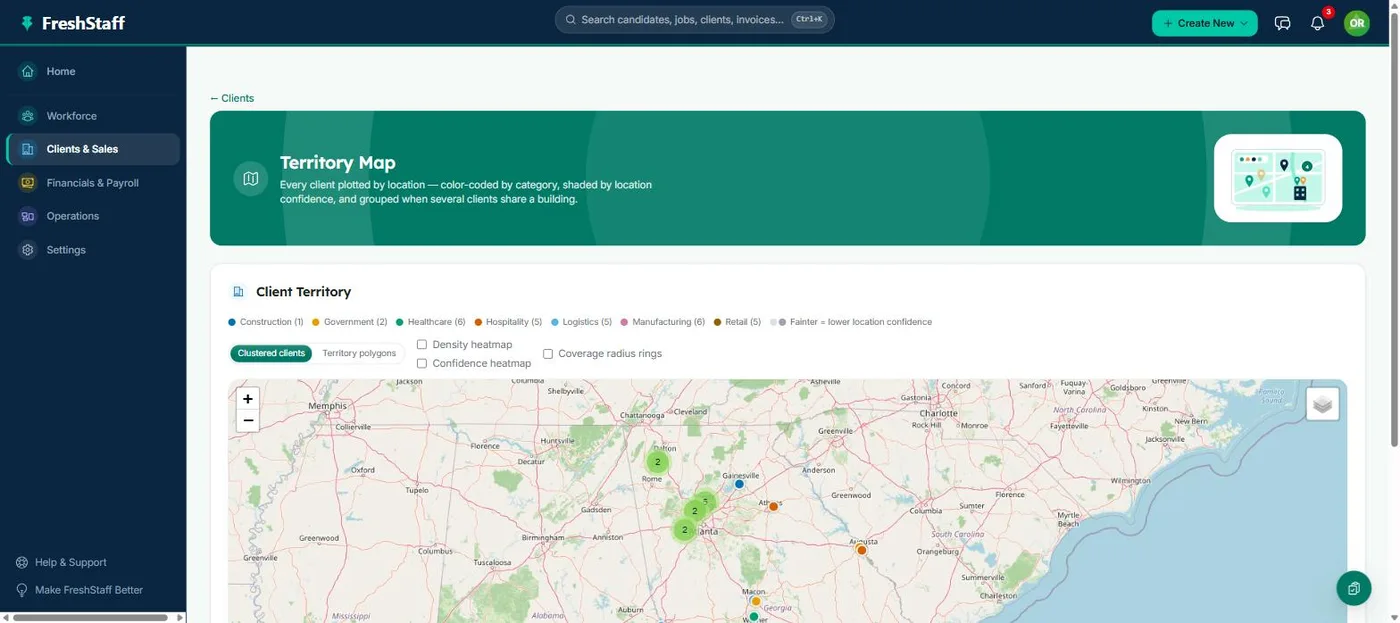
Every client, plotted on a live map, color-coded by category, shaded by confidence, clustered where it's busy, and grouped when a building holds more than one client. Built on free mapping technology, not a paid mapping service.
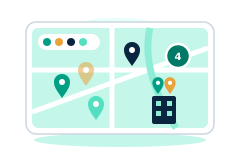
A rep who can't see their territory at a glance ends up working it the hard way. Visiting the same block twice, missing a cluster of prospects three streets over, or not realizing three leads share one office building. FreshStaff's Territory Map turns a flat client list into a real, interactive picture of where your business actually is, so a rep, or a manager planning coverage across a whole territory, can see the shape of the work before deciding how to tackle it.
Why staffing teams need it
Field sales and account management in staffing is basically geographic work. Reps drive between clients and prospects, and a poorly planned day costs you wasted drive time, not just missed calls. A client list sorted alphabetically or by account owner tells a rep nothing about which stops are actually close together, which neighborhoods are underserved, or where one office park holds several of their accounts at once.
A map fixes that instantly, but only if it's actually useful to look at. A plain map with fifty identical pins is barely better than a spreadsheet. Category colors, density heatmaps, and confidence shading turn the same data into something a rep can read at a glance: where the healthcare accounts are, where the data is solid versus where it needs a quick call to confirm, and where the map is genuinely busy versus just visually cluttered.
How FreshStaff builds it
Every client with a resolved address gets a location automatically, backfilled through free address lookup, the same location data that powers Route Optimization and Lead Scoring. The Territory Map groups clients into color-coded layers you can toggle by business category, clusters markers as you zoom out, and renders two heatmap overlays on demand. One weighted by simple density, one weighted by each client's location confidence score.
When multiple clients land at the same coordinates, say a shared office building or strip mall, the map merges them into a single badge marker showing the count, with a popup listing every business at that address, instead of stacking pins that hide each other. None of this needs a paid mapping service, so there's no per-load or per-lookup fee as your territory grows.
How It Works
- 1
Every client's address gets turned into a map location automatically, using the same free geocoding that powers business lookup during sales visits.
- 2
Open the Territory Map, and every client with a location shows up as a color-coded marker, grouped into a layer per business category.
- 3
Toggle category layers on or off, or turn on the density or confidence heatmap to see where clients cluster or where your location data needs cleanup.
- 4
Zoom in on a shared building marker to see every client at that address in one popup, no overlapping pins.
Why It Matters
A territory you can actually see is a territory you can plan smartly, which is the whole idea behind AI Visit Planning and Route Optimization, both built on the same map data.
Because it's built on free mapping technology instead of Mapbox, Google, or ESRI, growing your territory and client count never turns into a recurring mapping bill.
In the product
Territory Intelligence in FreshStaff
How Territory Intelligence Compares
| Capability | FreshStaff | Legacy ATS | Manual Processes |
|---|---|---|---|
| Client mapping | Live, color-coded, clustered map | Rarely available, or a paid add-on | A spreadsheet with no spatial view |
| Mapping cost | Free, no per-use fees | Per-load Mapbox or Google billing | N/A |
| Readability in busy areas | Automatic marker clustering | Overlapping, unreadable pins | N/A |
| Shared building visibility | Grouped into one marker with a count | Not supported | Found by accident, if at all |
| Data quality visibility | Confidence heatmap overlay | Not tracked | Not tracked |
Keep Exploring
All 29 features →
Client Intelligence Hub
GPS auto-capture, territory heatmaps, route planning, and an AI sales assistant for field reps.
Learn more →
Universal Command Center
A Cmd+K command bar for instant navigation, one-step actions, and quick status queries.
Learn more →
Native Payroll & Compliance Engine
Federal/state withholding, FICA, SUTA/FUTA, ACA offer and safe-harbor codes, and 1095-C generation, built in.
Learn more →