
How to Switch ATS Platforms Without Losing Your Data: A Migration Checklist
Migration risk is the top reason agencies stay on software they've outgrown. What actually goes wrong in an ATS migration, and the checklist that prevents it.
Ed Burtle · · 3 min read
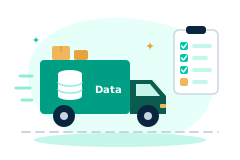
Ask an agency owner why they haven't switched off an ATS they openly complain about, and the honest answer is usually migration risk, not loyalty to the current platform. Years of applicant history, client relationships, notes, and documents feel too fragile to move, so the agency stays put and keeps paying for software that isn't working. Most of that fear comes from not knowing what a migration actually involves. It's a checklist problem, not a mystery.
What "Losing Data" Actually Means in Practice
Nobody's data disappears entirely in a bad migration, what actually happens is subtler and worse: a candidate record imports without the notes attached to it, a placement history exists but isn't linked back to the client record it belongs to, a custom field full of years of tags silently doesn't map to anything in the new system and gets dropped. The agency doesn't find out until weeks later, when a recruiter goes looking for something that should be there and it isn't. That's the real risk, not total loss, but silent, partial loss that surfaces at the worst possible time.
A Practical Pre-Migration Checklist
- Export every entity, not just contacts. Applicants and clients are the obvious ones. Job orders, placements, documents, notes, tags, and custom fields are just as often the ones that get forgotten in the export step, and they're exactly what a recruiter needs on day one in the new system.
- Review the field mapping before importing, not after. A mapping wizard that shows you exactly which old column maps to which new field, with a preview, lets you catch a mismatch before it's live in your new system, not after a recruiter finds it by accident.
- Keep the old system live and read-only during the transition. Don't cancel your old subscription the day you import. A short overlap period where the old system is still queryable is the cheapest insurance against a mapping gap you haven't found yet.
- Run a small batch first. Import one branch or one month of data before importing everything, and have someone who knows that data well check it against the source. It's far easier to fix a mapping issue on 50 records than on 50,000.
- Confirm the migration can be rolled back cleanly. If something looks wrong after a full import, you want the ability to undo it and re-run, not a one-way door.
What a Good Migration Wizard Actually Does
The mechanics above are the same whether you're doing this by hand or with a tool built for it, the difference is how much of the work a good tool takes off your plate. FreshStaff's migration engine is a guided CSV export-and-mapping wizard that recognizes the typical column layout of nine major platforms, Bullhorn, Avionté, TempWorks, Workday, Greenhouse, JazzHR, Lever, Workable, and Breezy HR, and auto-maps applicants, clients, job orders, placements, documents, notes, tags, and custom fields into the new workspace, with a sandbox preview before anything actually imports. It's also $0, legacy vendors commonly charge $5,000 or more in implementation fees for a service that's fundamentally the same checklist above. More detail is on the Migration Engine page and in the FAQ.
Timeline: What "Hours, Not Months" Really Looks Like
A migration that follows this checklist, export, preview the mapping, small-batch test, full import, doesn't need to be a multi-month project with a vendor implementation team. Most of the calendar time in a slow migration isn't spent moving data, it's spent waiting on a vendor's services queue or manually re-keying records that a good auto-mapping wizard would have handled in the export/upload step. When the mapping is automated and the preview step is real, the actual data movement is a matter of hours, and the confidence-building small-batch test is what makes that speed safe rather than reckless.
The Bottom Line
The agencies that put off switching platforms for years usually aren't wrong that migration is risky, they're wrong about where the risk actually comes from. It's not a technical wall, it's a checklist that either gets followed or doesn't. Export everything, verify the mapping before you trust it, test small, keep a rollback path, and the platform you're switching to matters a lot less than whether it was built to make that checklist easy to follow.

ATS Migration Readiness
Find out whether leaving Bullhorn is a weekend or a saga.
Run your numbers →About the Author
Ed Burtle
Ed Burtle is the founder of FreshStaff. He's spent 20+ years in enterprise IT, network administration, and cybersecurity across government, military, and private-sector roles, including building multiple employee onboarding systems and consulting on IT infrastructure for staffing agencies like 1st Choice Personnel and East Texas Staffing. He holds a CISSP (Certified Information Systems Security Professional) certification and is a U.S. Air Force veteran. That background, building and securing large-scale systems where reliability and compliance aren't optional for both government systems and the staffing agencies that actually run on this kind of software, shapes how FreshStaff is built: real encryption, real audit logging, and a payroll and compliance engine held to the same standard as the systems he's spent his career on, not bolted on as an afterthought.
More about FreshStaff →Related guides
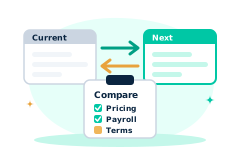
Bullhorn Alternatives in 2026: What to Actually Compare Before You Switch
Thinking about leaving Bullhorn? What actually differs between staffing platforms, pricing, native payroll, and contract terms, so you can compare on substance.
Read the guide →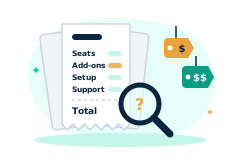
How Much Does Staffing Software Really Cost in 2026?
Per-seat pricing, custom quotes, and add-ons make staffing software hard to compare. How to figure out what you'd actually pay before talking to a salesperson.
Read the guide →
Why Modern Staffing Needs Automation
Manual, spreadsheet-driven staffing can't keep pace with hiring volume. Why letting AI handle onboarding, compliance, and scheduling is now table stakes.
Read the guide →