
ATS Migration Readiness Assessment

ATS Migration Readiness
Check everything that's true for your agency.
Readiness Score
0%
Prep needed · 0 of 8
You have groundwork to do first. Start with a full data export and a contract check, then revisit. A guided migration removes most of the field-mapping work, so focus your prep on access and data cleanup.
Why Switching Feels Harder Than It Is
The dread around ATS migration is really about data, not software. Teams underestimate the export and overestimate the import. Once you have a clean export and admin access, a guided wizard maps the fields for you, and a short parallel run makes the cutover safe.
FreshStaff's migration engine recognizes the typical column layouts of Bullhorn, Avionté, TempWorks, and more, with a sandbox preview before anything goes live, and it's included at $0.
Frequently Asked Questions
How hard is it to switch staffing ATS platforms?
The software mapping is the easy part with a guided wizard; the real work is on your side, exporting clean data, confirming admin access, and planning a short parallel-run cutover. Most migrations stall at the export stage, not the import.
What do I need before migrating my ATS?
A full data export (candidates, clients, jobs, placements), a handle on your custom fields and attached documents, a plan to run old and new in parallel briefly, and a check of your current contract's notice period and renewal date.
Does FreshStaff charge to migrate my data?
No. The guided CSV migration wizard is included, not sold as a paid add-on, unlike legacy vendors that charge $5,000+ for implementation.
Know someone doing this math on a napkin?
Send them the ATS Migration Readiness. Free, no sign-up.
Open next
All free tools →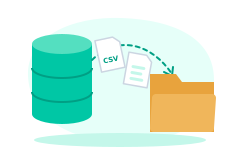
How to Export Your Candidate Database
The step-by-step way off legacy software without orphaning your resumes.
Open →
ATS ROI Calculator
See exactly how much your legacy ATS overcharges you for seats that didn’t place anyone.
Open →
Which Staffing ATS Fits You?
An honest quiz, we’ll even tell you when the answer isn’t us.
Open →Migrate in Hours, Not Months
Guided, $0 migration from your legacy ATS, with a sandbox preview and clean rollback.